> ## Documentation Index
> Fetch the complete documentation index at: https://docs.gravixlayer.ai/llms.txt
> Use this file to discover all available pages before exploring further.
# Get Metrics
> Retrieve runtime CPU, memory, disk, and network usage
```python theme={null}
from gravixlayer import GravixLayer
client = GravixLayer()
runtime = client.runtime.create(template="python-3.14-base-small")
metrics = client.runtime.get_metrics(runtime.runtime_id)
print(f"CPU: {metrics.cpu_usage}%")
print(f"Memory: {metrics.memory_usage} / {metrics.memory_total} MB")
print(f"Disk: read={metrics.disk_read} write={metrics.disk_write}")
print(f"Network: rx={metrics.network_rx} tx={metrics.network_tx}")
print(f"Time: {metrics.timestamp}")
runtime.kill()
```
## Parameters
| Parameter | Type | Required | Description |
| ------------ | ------ | -------- | ------------------ |
| `runtime_id` | string | Yes | Runtime identifier |
## Response
| Field | Type | Description |
| -------------- | ------- | ---------------------- |
| `timestamp` | string | Measurement timestamp |
| `cpu_usage` | float | CPU usage percentage |
| `memory_usage` | float | Memory used (MB) |
| `memory_total` | float | Total memory (MB) |
| `disk_read` | integer | Disk bytes read |
| `disk_write` | integer | Disk bytes written |
| `network_rx` | integer | Network bytes received |
| `network_tx` | integer | Network bytes sent |
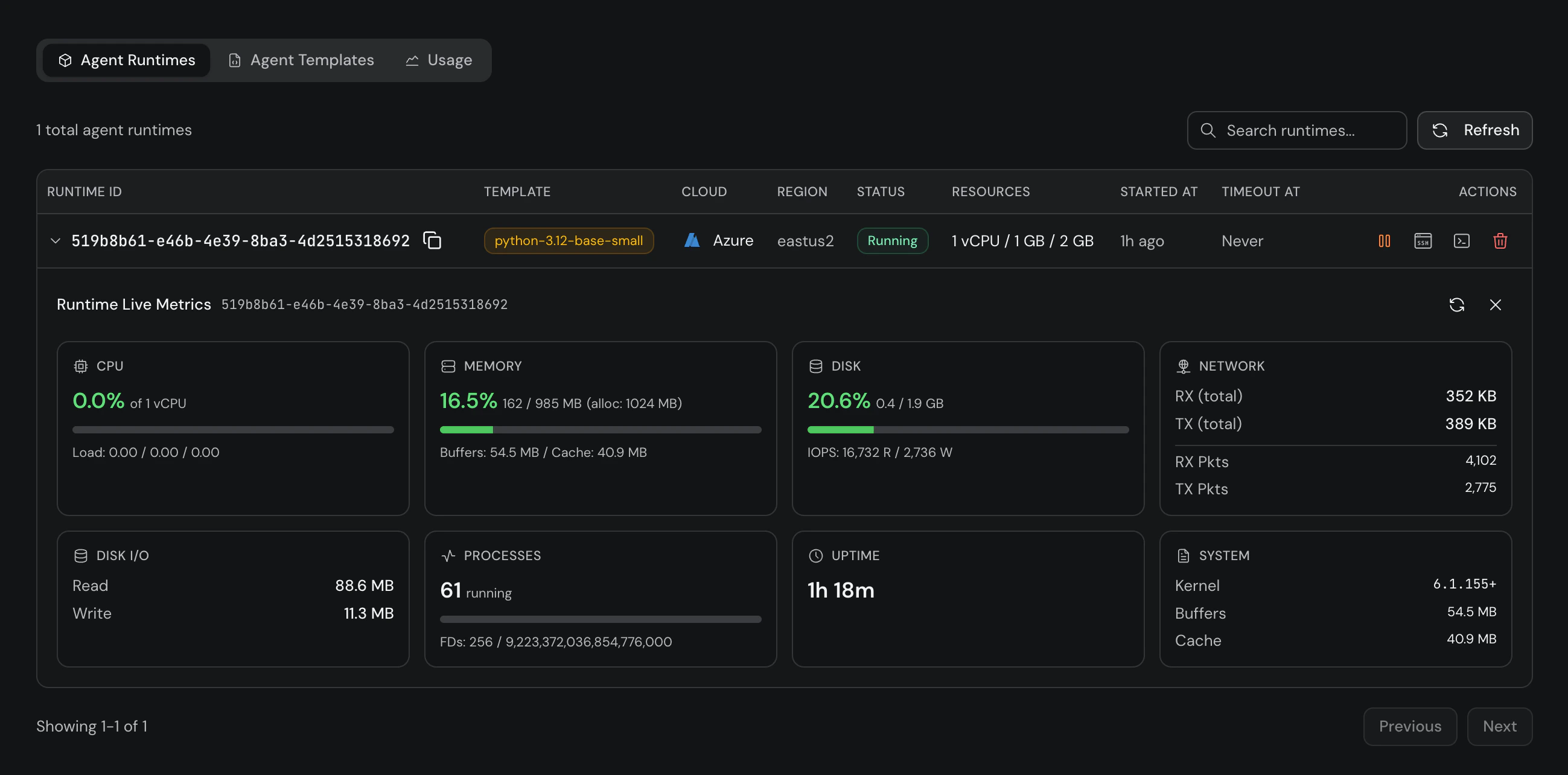
## Platform Metrics
You can also view live metrics from the [Gravix Layer Platform](https://app.gravixlayer.ai). Click the **metrics icon** on any running runtime to see real-time CPU, memory, disk I/O, network, processes, and uptime.